
Study planner for Android phones and tablets
Find your way through your studies.
Timetable, handwritten notes, PDFs, tasks, flashcards and grades in one app that keeps your whole degree together across semesters. No account and no ads.

Try for 30 usage days, then buy once. Sync for all devices optional as a subscription.
For Android 7.0 and newer, currently in Germany, Austria and Switzerland. German and English.
Today
Three questions every morning
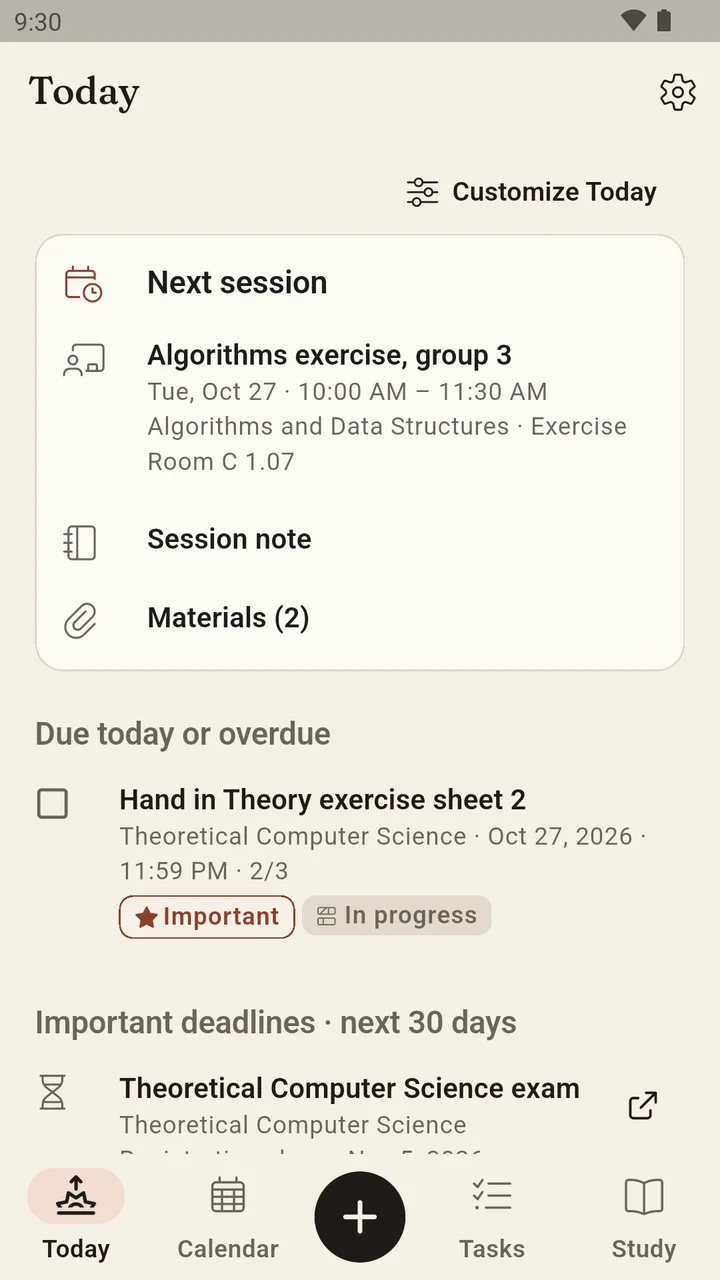
Where do I need to be? What do I have to get done? Which deadline must I not miss? Sapeluno's start page answers them before you enter the lecture hall.
The next session
The running or next lecture with room, note and materials, one tap away.
Due today
Open and overdue tasks of the day, ticked off with undo.
Important deadlines
Registrations, submissions and exams of the next 30 days with their status, even from other semesters.
Your progress
Confirmed, planned and open ECTS across the whole degree, without invented percentages.
Everything that belongs to your studies
Class, note, task, exam and grade belong together. Sapeluno connects them so you never have to reconstruct anything later.
Notes
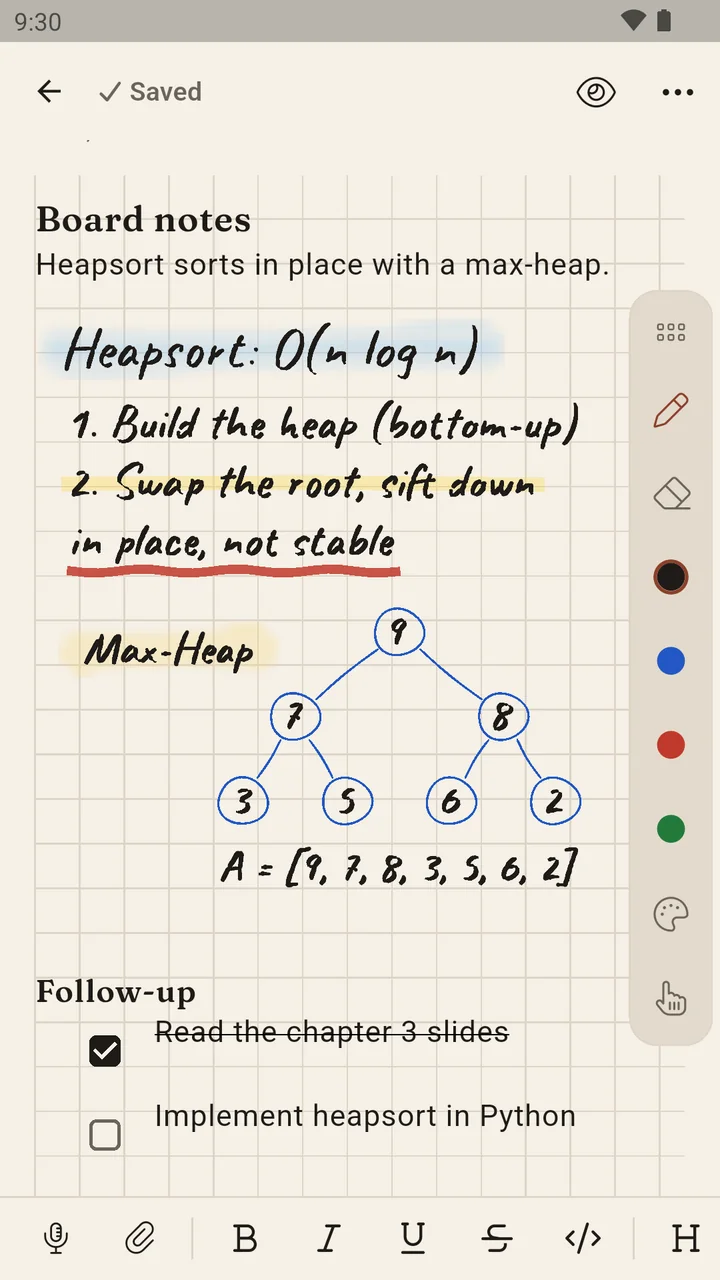
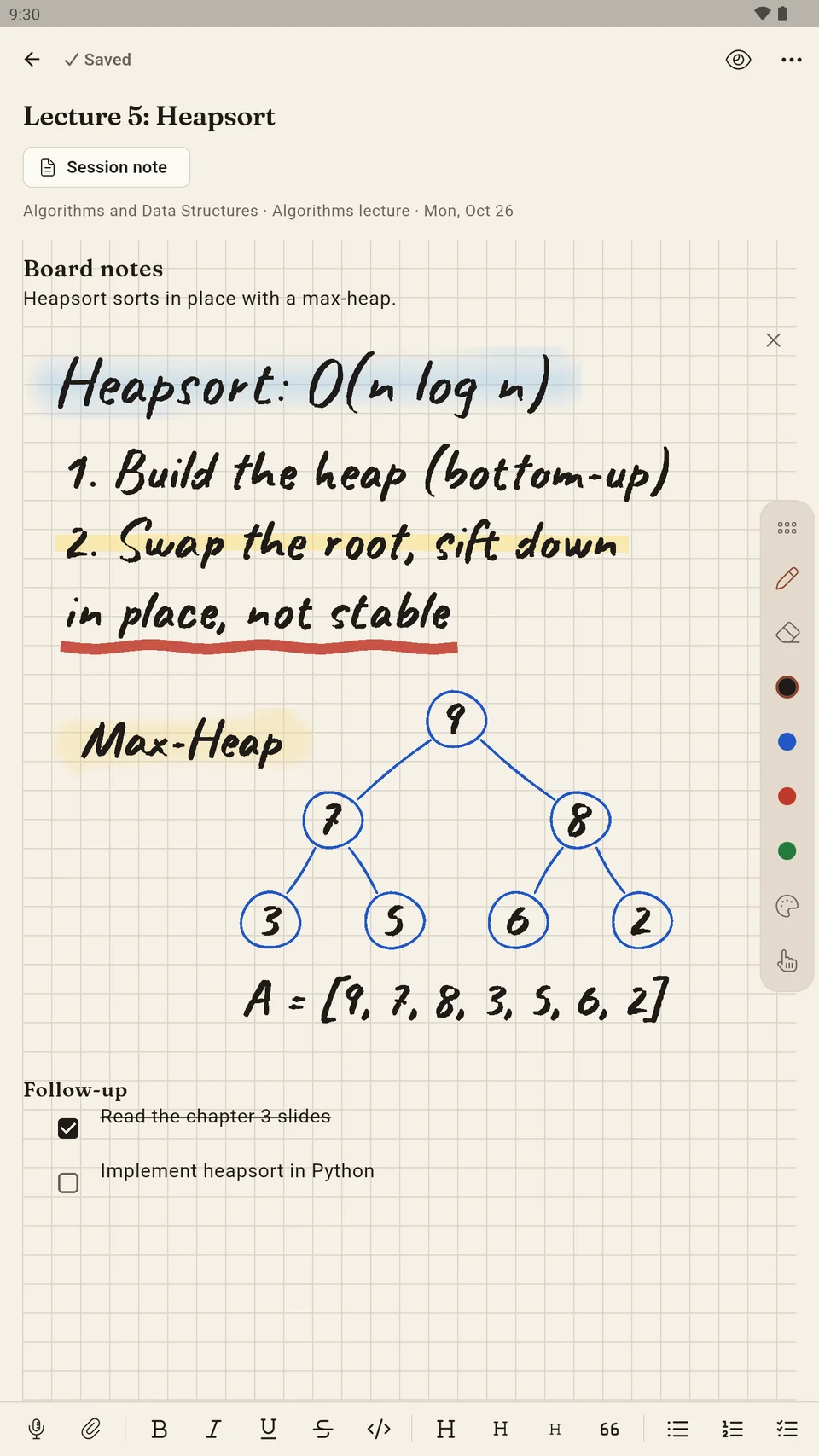
Write like on paper
With a pen or the keyboard, on lined, squared, dotted paper or staff lines, right in the lecture.
Fountain pen, pencil, marker, watercolour
Plus your own pens with free colours and your palette. Watercolour blends as you draw.
Find your handwriting
On supported devices Sapeluno can recognise your handwriting, so search also finds what you wrote.
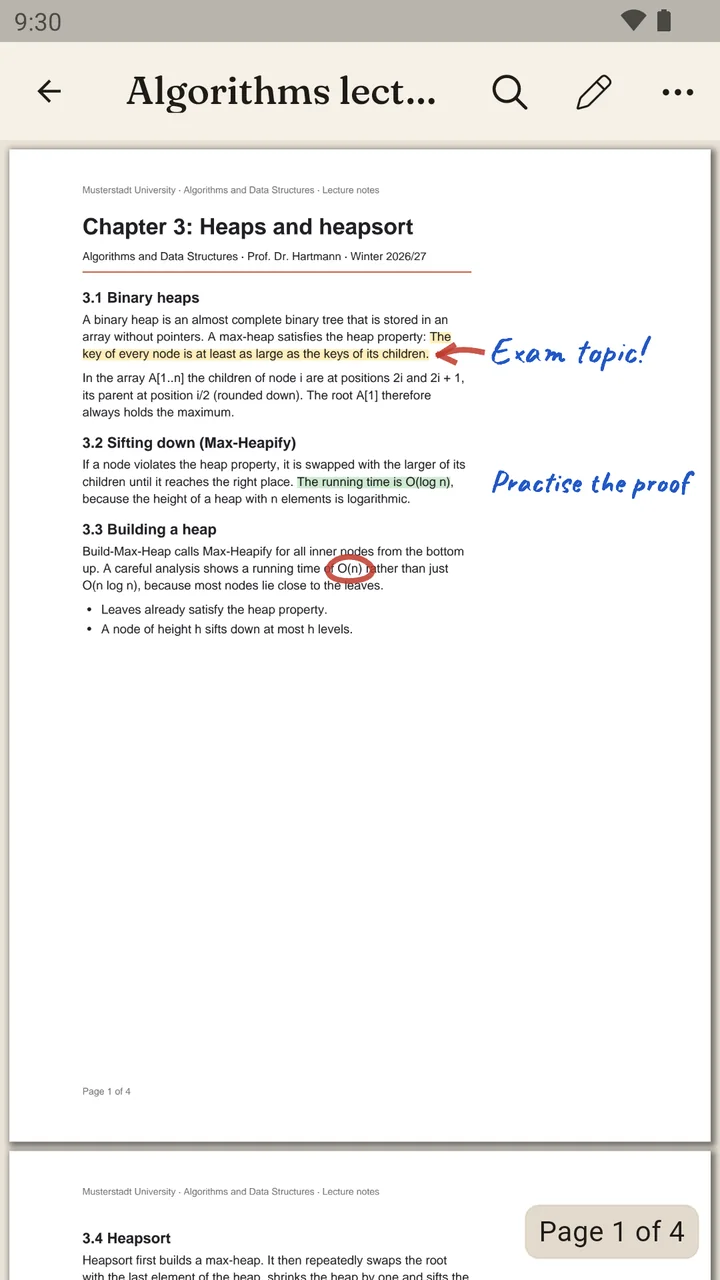
PDFs right in the app
Open, search and highlight lecture scripts and exercise sheets. Write on the pages with your pen without changing the file. Share with annotations or write them in; the original is kept.
More than text
Tables, formulas, photos of the board, voice notes, videos and files sit in the note where they belong.
Timetable
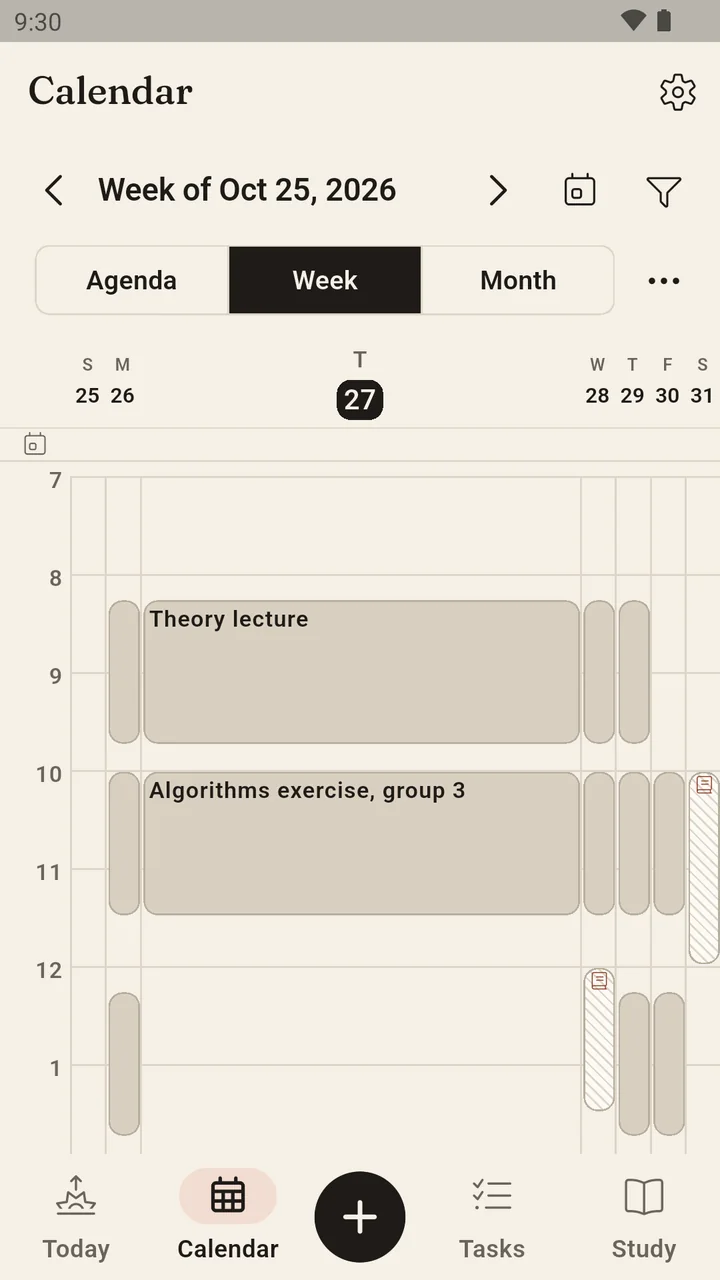
Your week under control
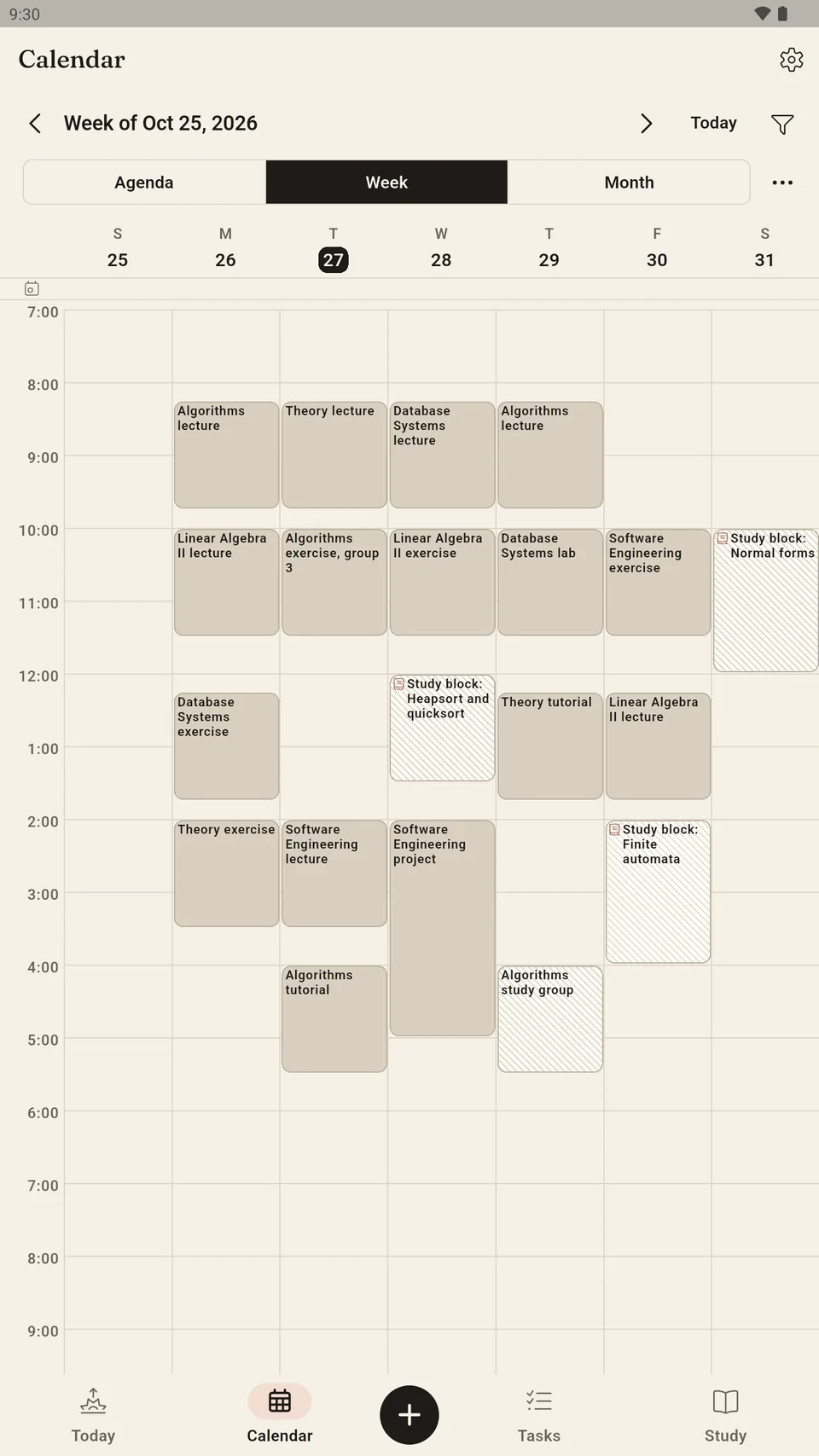
Lectures, exercises and tutorials with room and lecturer. Series, cancellations and moved sessions, with overlaps made visible.
Agenda, week, month
The same sessions in three views. In the week view a tap widens a day.
Bring your calendar
Import ICS files with a preview, subscribe to calendars, export your own sessions. What comes from outside stays separate from your additions.
Study blocks
Plan study time for an exam in the calendar. Occupied time shows a conflict; the exam deadline stays untouched.
Reminders
Daily overview, deadlines and exams with adjustable lead times, quiet hours and "remind me later". All on the device, no server.
Tasks and exams
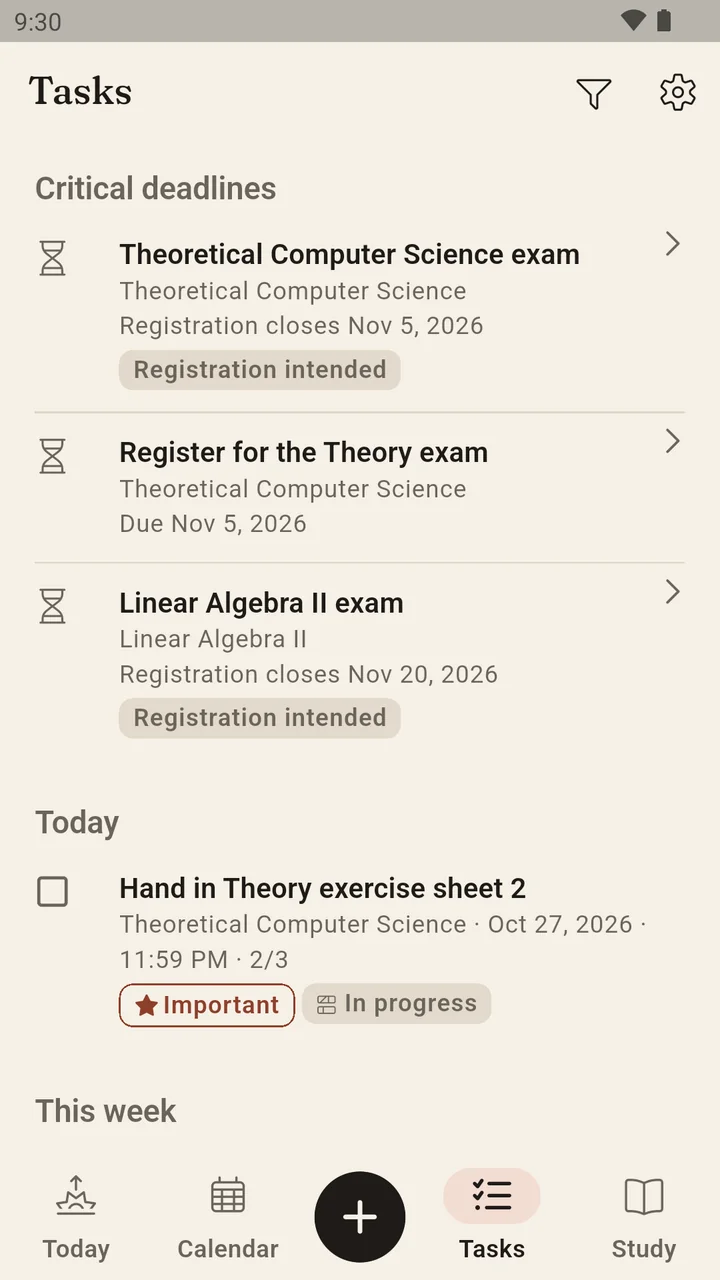
Never miss a deadline
Tasks, submissions, exams with registration and withdrawal deadlines, and administrative deadlines, all in one place.
Captured quickly
A title is enough. Course, exam, due date, priority and subtasks come when you need them.
Confirm submissions
A finished paper stays visible as "to submit" until you confirm the submission, with time and optional proof.
Exams with status
Registration, withdrawal, attempt and retake with their own date and result. Earlier entries stay traceable.
Administrative deadlines
Re-registration, semester fee or library return as deadlines of their own with link and reminder.
Learning
Learn what sticks
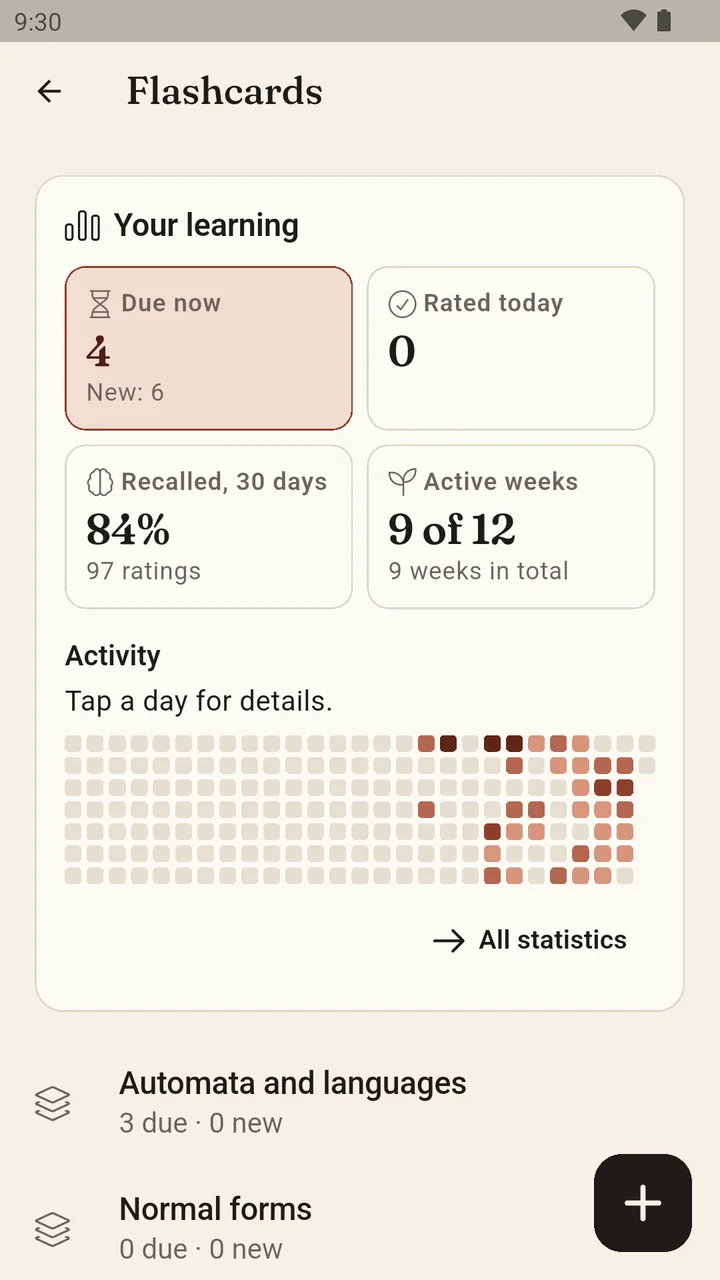
Flashcards with a pen, spaced repetition and study collections that bundle notes from several semesters for one exam.
Flashcards
Both sides with text, formulas, images and handwriting. Created from notes and highlights or from scratch.
Spaced repetition
Due cards at the right interval, free practice without scoring, a study overview and statistics per deck.
Study collections
Notes, highlights and materials from different modules in one collection, without moving or copying anything.
Search across semesters
Search titles, note text, tasks and file names across all semesters. Hits name course and semester.
Grades and degree
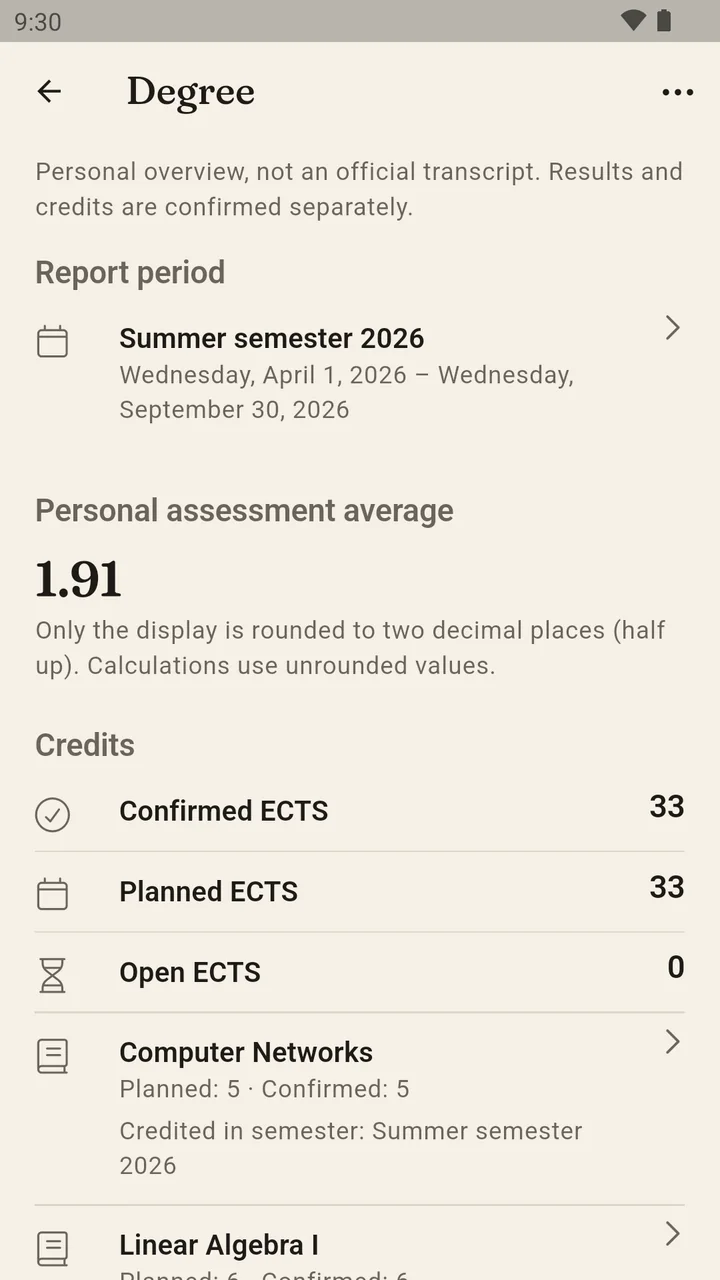
Grades and ECTS in view
Record grades and credits, understand your average and share a semester report.
A traceable average
You see which attempt and which weight count. Provisional and confirmed results stay distinguishable.
ECTS without double counting
Confirmed, planned and open credits kept apart. Retakes count only once.
Semester report
Share the grade list, earned ECTS and open exams as CSV, for yourself or your study advisor.
Carry semesters over
Copy courses and session patterns into the next semester selectively. Results and confirmations are never copied.
Tablet
On the tablet, like a notebook
Phone on the go, tablet in the lecture: on larger screens Sapeluno uses the width. The note list sits beside the editor, the week becomes a grid, and the pen writes on full-size paper.
Windows and Linux
At the desk, too
The Sapeluno desktop preview runs as a native application for Windows and Linux: the same semesters, sessions, tasks, notes, PDFs, flashcards and grades, with your system's windows and file dialogs.
Same data, same backup
Restore the ZIP backup from the Android app on the desktop and vice versa. Your data lives in your user account's application folder, never in the installation directory.
Native file dialogs
Open and Save As use your system's dialogs. PDFs, files and links open in their default applications.
Updates in your hands
There is no automatic updater. Install a new version from the same page; installer and uninstall leave your data untouched.
What the desktop lacks
Camera, dictation, voice notes, handwriting recognition and background reminders exist on Android only. The packages are unsigned; Windows and Ubuntu ask before the first start.
Desktop preview for testing
With the sync subscription your computer has the same state as your phone. You pair it with your Android app using a QR code; purchase and subscription run through Google Play.
Download the file for your system, extract it and run the included installer. It installs for your user only, without administrator rights.
Windows 11, 64-bit
ZIP with installer. Extract and run install.ps1 in PowerShell; Start menu entry and uninstall through Windows settings.
Ubuntu 24.04, 64-bit
DEB package for the package manager, or tar.gz with install.sh for an installation in your home folder and an entry in the applications menu.
A look inside the app
Real screens of the Android app with sample data of a fictional computer-science degree.
Who Sapeluno is for
For students who want to organise their studies themselves, whatever their university offers.
In the first semester
A given structure, understandable terms and a start in minutes: create a semester, add courses, go.
In the middle of a degree
Many modules, many deadlines. Sapeluno shows what comes next and keeps notes with their course.
Next to a job
Little time, clear priorities. Due today, important deadlines and study blocks that fit the calendar.
With retakes
A module on its second attempt keeps its material and earlier attempts. Credits are never counted twice.
Buy once. No subscription.
Try Sapeluno with every feature, then buy the full version once in Google Play. Sync across devices is available as a subscription on top. Your data stays accessible either way.
Try for 30 usage days
Every feature, without an account or payment details. Only days on which you create, change or practise something count.
Buy once
Afterwards you unlock the full version with a one-time in-app purchase. What is included at the time of purchase stays yours to use permanently, also offline. No payment per semester or device.
Restore on your own devices
With the same Google account you restore the purchase on your other Android devices.
Everything stays readable without a purchase
Viewing, search, export, backup and restore always remain possible, also after your studies. Your data is never locked in.
Sync optional
A six- or twelve-month sync subscription keeps phone, tablet and laptop in step, end-to-end encrypted. It requires the full version. When it ends, you keep working locally without limits.
Stay free to leave
You keep complete ZIP backups wherever you choose. Export, archive and restore are never tied to a subscription.
Introductory price through 31 December 2026: €14.99, then €24.99.
Sync: €14.99 for six months or €24.99 for twelve months, renews for the chosen period and can be cancelled at any time.
We may later offer larger expansions as optional one-time purchases. Your purchased features stay usable without buying again, and your one-time purchase never becomes a subscription.
German price. Google Play shows you the price for your country in your currency before you buy.
Your data stays on the device
Notes, grades and sessions are stored locally. Sapeluno contains no ads and no usage analytics.
Read the privacy noticeNo account needed
Planning, writing and studying work without signing in. Install Sapeluno and start right away.
Your own backup
A complete backup as a ZIP file holds the database, notes and original files. You decide where it lives and restore it on a new device.
Trash instead of loss
Deleted items stay in the trash for 30 days and come back with all their relations. Permanent deletion is confirmed explicitly.
Share when you want
Sessions as ICS, the semester report as CSV and annotated PDFs are shared by you. Nothing leaves the device without your action.
Sync
With sync, if you want
Phone in the lecture, tablet at the desk, laptop in the library: with sync they all have the same state. Your content stays encrypted, also on our server.
All devices in step
Semesters, sessions, tasks, notes, attachments and grades sync between your paired devices whenever they are online: Android phone, tablet, Windows and Linux laptop.
End-to-end encrypted
Content and attachments are encrypted on your device. The server sees only encrypted data; there is no plaintext access, no server-side search and no analysis.
One subscription, your pace
Sync comes in six- or twelve-month terms and requires the full version. Price, term and cancellation are shown in Google Play before you buy.
Life goes on without sync
When the subscription ends you keep working locally without limits. Your content on the server stays downloadable for 90 days and is deleted afterwards.
Questions or feedback?
Feedback from everyday studying helps most. For problems, have the app version from "About Sapeluno" ready.